

Generate molds with speed and quality
Save time in your production.
Automatic silicone and plaster mold generation right inside Blender — split box, two-part silicone and slip-casting molds.
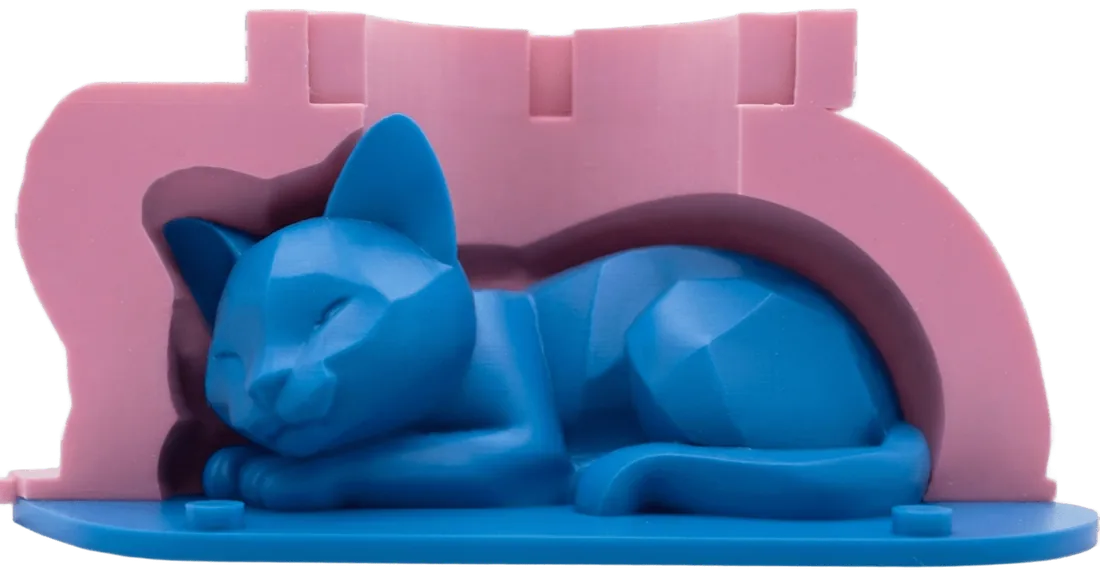
Simple workflow
From 3D model to print-ready mold
Prepare your model
Start with the piece you already have in Blender — any manifold mesh works as a base.
Generate the mold
Pick the mold type and MoldGen builds everything: splits, guides, clamps and pour channel.
Print and produce
Export each part as a separate STL, assemble the mold and pour the silicone or plaster.
Mold types
The right system for every piece
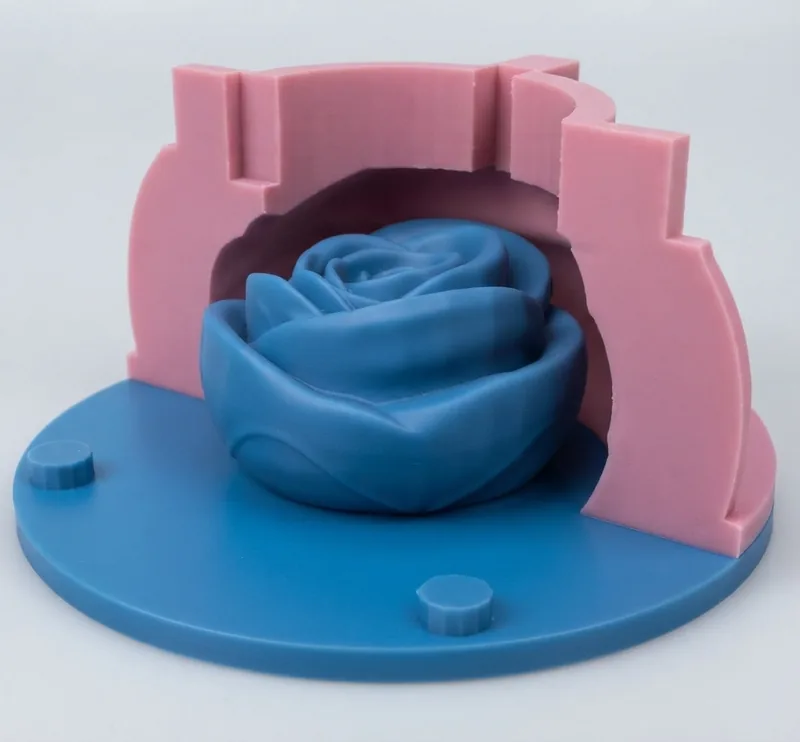
Split Box
Base + left/right walls with automatic locking clamps — the classic everyday system.
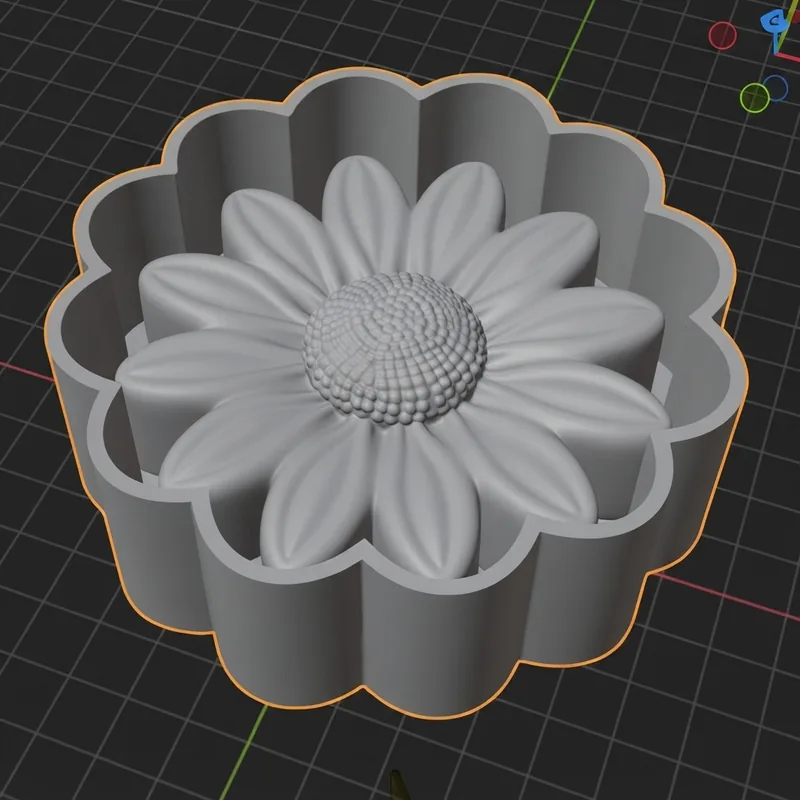
Tray
Open-top form with walls that follow the piece's outline — simple and fast.
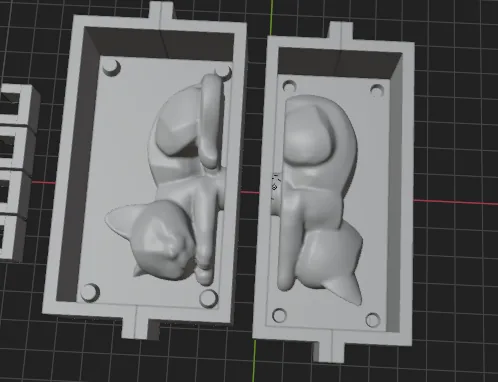
Two-Part Silicone
Splits the piece in half, each half at the bottom of a closed box — pour the silicone, join, and reproduce the piece.
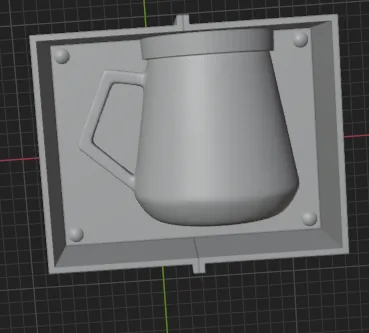
Slip-Casting Mold
For ceramics: a two-part box to pour plaster and get your slip-casting mold.
Features
Production control without the manual work
Automatic clamps
Locking clamps generated automatically, keeping the halves aligned while pouring.
Silicone calculator
Estimated volume and weight calculated from the piece itself, before you produce.
Automatic pin guides
Pins placed automatically to align the mold halves precisely.
A/B registration keys
Male/female registration keys make sure both halves always fit together the right way.
Color-coded parts
Each component is color-coded — base, shell, clamp — easy to organize for printing.
Ready-to-print STL export
Export each mold part separately, ready to slice and print.